Arcade
VCORE ARCADE / GAME 09

AIRPORT MANAGER

0ARCADE CREDITS
MANAGER LV.1
ROOM TO GROW
MAKE ROOM FOR THE NEXT FLIGHT.

Build your airport

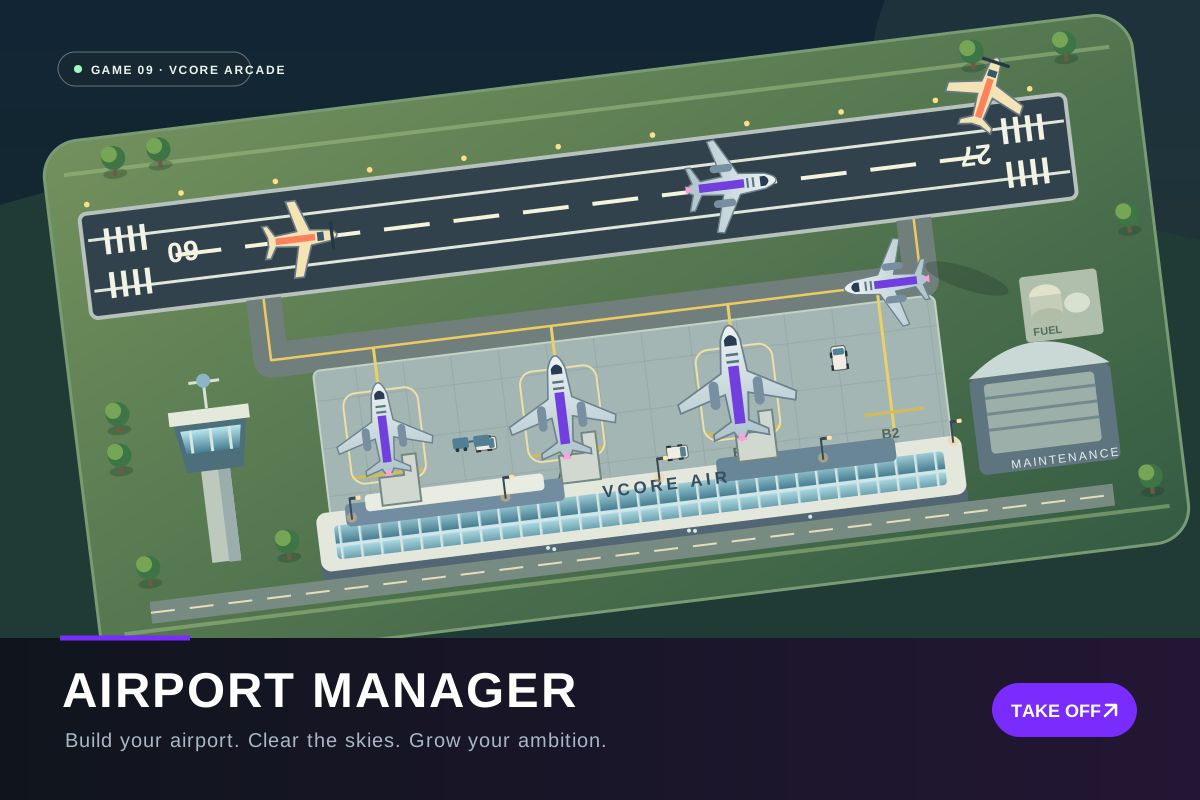
Choose a facility, move its preview on the map, then confirm the footprint and cost. Taxiways connect runway and gate ports; occupied or protected routes cannot be demolished.

EVERY ARRIVAL STARTS A JOURNEY.

Flight management

GOOD FLIGHTS BEGIN ON THE GROUND.

Airport operations

ONE AIRPORT. A WORLD OF POSSIBILITIES.

Career dashboard

EVERY INVESTMENT HAS A DESTINATION.

Airport finances

SMALL IMPROVEMENTS. BETTER JOURNEYS.

Research & upgrades

BRING NEW AIRLINES TO YOUR APRON.

Airline contracts

A FULL FLIGHT BOARD. A CLEAR HEAD.

Busy Day Challenge

KEEP CALM. KEEP THE AIRPORT MOVING.

Emergency operations

BUILD SOMETHING THAT IS YOURS.

Free Build Sandbox

All facilities are available. Your sandbox airport saves separately from Career and earns no Career money, milestones or competitive rewards.

A LOGBOOK OF YOUR BEST MOMENTS.

Achievements

EVERY FLIGHT COUNTS.

Manager statistics

A PERSONAL TOUCH FOR YOUR AIRPORT.

Airport collection

SET YOUR OWN PACE.

Game settings

Preferences are saved for Airport Manager in this browser. Your airport is fully playable with sound muted.

Your Career and Sandbox are saved separately in this browser. Private browsing or clearing website data can remove local progress. Other VCORE games use separate saves. Returning from a background tab never simulates missed hours.

AIRPORT MANAGER · v1.0.0VCORE ARCADE / GAME 09
FROM FIRST LANDING TO MAJOR HUB.

How to play

A fictional, simplified airport tycoon. Plan your buildings, keep aircraft moving and reinvest in a better passenger journey.

01

Explore at your own pace

Your airport starts paused. Resume when ready. Drag empty map space to pan, pinch to zoom, and use the fit-map button to find your whole airport. Tap a plane or building to open its compact details panel.

02

Accept a flight and assign its stand

Open Flights to inspect the board. Accept a suitable arrival, choose a compatible stand and runway, then clear it to land. Aircraft need the correct runway size, an available gate and a connected taxiway route.

03

Manage safe runway movements

Hold an arrival if your runway is busy. Aircraft land, slow down and taxi along connected routes. Unsafe clearances are rejected with an explanation. Priority helps urgent flights without ignoring runway reservations.

04

Turn every arrival around

At the gate, passengers unload and ground crews handle baggage, fuel, cleaning and other required services. Inspect turnaround progress to spot missing resources. Buy equipment, improve facilities or hire staff in Operations.

05

Clear departures and earn revenue

Passengers check in, pass security and board. When the plane is ready, authorize departure. It pushes back, taxis to the runway and takes off when safe. Fees and services earn money; wages, upkeep and delays cost money.

06

Build connected airport facilities

Choose a build category, select a facility and drag or tap its preview into place. Rotate when useful, check the footprint and cost, then confirm. Cancel returns to normal map controls. Taxiway pieces must join existing taxiways or ports; gates need a connected route before use.

07

Improve, move and expand

Select a building to inspect capacity, operating costs and upgrades. Idle facilities can be moved or demolished when routes remain safe. Follow the Career dashboard's 30 milestones to unlock larger aircraft, more land, better services and airline opportunities.

08

Keep passengers and airlines happy

Improve check-in, security, terminal capacity and comfort. Compare airline contracts before accepting their requirements. Research makes real airport operations more efficient. Reliable flights and satisfied passengers gradually raise your airport rating.

09

Respond to changing conditions

Weather changes separation and taxi speed. Read incident notices in Operations and choose a response or wait for the event to resolve. A recovery loan can help after a costly mistake; repayments and interest are shown in Finances.

10

Choose hands-on or automatic management

Automatic operations are off by default. Enable them in Settings to let the airport accept suitable flights, allocate gates and request safe landing and departure clearances. You can still inspect, build and improve your airport.

11

Try a different operating challenge

Busy Day is a timed throughput challenge at several difficulties. Emergency Operations has ten focused scenarios. Free Build removes career restrictions and saves a separate airport, with optional unlimited funds and custom flight demand.

12

Save, pause and return

Important changes autosave; the Pause menu also has Save. Career airport construction and progress survive refreshes. The simulation pauses when the browser loses focus. Resume explicitly after returning, with no unattended progress.

Esc Pause+ / − ZoomR Fit airportMouse drag or touch to move around
PLEASE CHECK BEFORE CONTINUING.

Reset game progress?

This removes Airport Manager's Career and Sandbox airports, achievements, challenge records and customization from this browser. Your other VCORE games are unaffected.

A FRESH START FOR A NEW AIRPORT.

Start a new Career?

Starting a new Career replaces your current Career airport. Your separate Sandbox, challenge records and earned collection remain available.